How to link a paper notebook to your phone
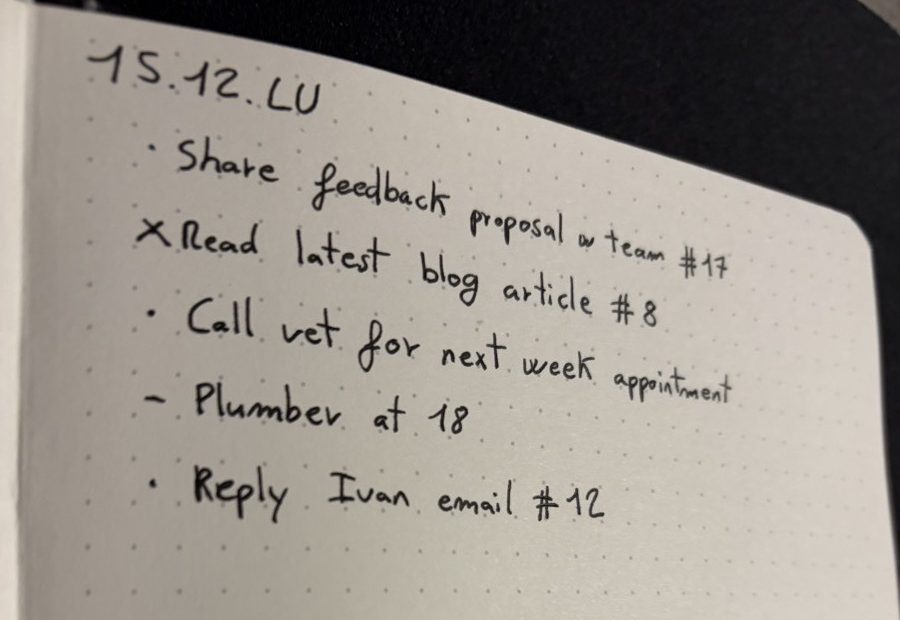
Save the link, photo, file or note in Numly and it gets a short number. Write that number in your notebook, like #17. Later, type 17 in Numly on your iPhone, iPad or Mac and the item opens. Nothing is printed on the page, so it works with any notebook, planner or meeting pad you already own.
The three steps
- Save it. From Safari, Photos, Files or any app, tap Share and pick Numly. It gets a number.
- Write the number. Put
#17next to the line it belongs to: a to-do, a note, a reading list entry, a meeting page. - Type it back. Open Numly and type 17. On iPhone you can also type the number in Spotlight or ask Siri; on Mac, press ⌥Space from anywhere.
Four ways to connect paper and phone
| Method | What you do on the page | What it needs |
|---|---|---|
| Copy the address by hand | Write the whole URL. | Nothing, but long addresses are slow to write and easy to mistype. Works for web links only. |
| QR code | Print a code and stick it onto the page. | A printer or a sticker sheet, glue space on the page, and the camera to scan it. You cannot read or type a QR code. |
| Scanning notebook | Write on its pages, then scan the page into the cloud. | The maker's notebook (for example Rocketbook pages with compatible pens) and its app. The page becomes a digital copy; it does not link to other things you saved. |
| A short number (Numly) | Write 2 or 3 digits with the same pen. | Numly on iPhone, iPad or Mac. Any notebook works because nothing is printed on the page. |
What can sit behind a number
A web link, a photo, a file or a quick text note. You can write a number next to a to-do, a book to read, a recipe, an entry in your index or the slides of a meeting.
Which notebooks work
All of them. The number is plain handwriting, so dotted, ruled, blank, a planner, a bullet journal or a legal pad all work the same. If you keep a bullet journal, the bullet journal guide shows where the number goes in the daily log, collections and index. If your notebook has an index, the free printable 2027 index has a column for the number.
Questions
Do I need a special notebook? No. Numly does not read the page. You write the number by hand and type it back, so any paper notebook works.
Do the numbers clash between iPhone and Mac? No. The last digit of every number identifies the device that created it, so two devices syncing through iCloud never hand out the same one.
Do saved items expire? No. An item stays until you delete it. A deleted item's number becomes free again, so cross out that reference in your notebook.
What does it cost? Free for up to 5 items. Unlimited is a one-time purchase ($4.99 in the US), no subscription.
Can I get my data out? Yes, Settings exports everything to a CSV file.
Also: Numly compared with Roost, Rocketbook, Scribzee and QR stickers.